


You've been using Firelight (Easy Fancybox) for a long time! Awesome and thanks!
We work hard to maintain it. Would you do us a BIG favor and give us a 5-star review on WordPress.org? Or share feedback here.
Please Setup Website Analytics to See Audience Insights
MonsterInsights, the #1 WordPress Analytics Plugin, helps you easily connect your website to Google Analytics, so that you can see how people find and use your website. Over 3 million website owners use MonsterInsights to see the stats that matter and grow their business.
Please Connect Your Website to MonsterInsights Learn More
Note: You will be transfered to MonsterInsights.com to complete the setup wizard.
If you cannot complete the setup process, click here for help (opens in new tab).
Dashboard
Warning: PHP Update Recommended
Your site is running on an outdated version of PHP (7.4.33), which does not receive security updates. It should be updated.
What is PHP and how does it affect my site?
PHP is one of the programming languages used to build WordPress. Newer versions of PHP receive regular security updates and may increase your site’s performance. The minimum recommended version of PHP is 8.3.
MonsterInsights
Your website analytics dashboard is not currently configured. Please use our setup wizard to get started.
To see your website stats, please connect MonsterInsights to Google Analytics.
Setup Website AnalyticsNote: You will be transfered to MonsterInsights.com to complete the setup wizard.
Elementor Overview
Site Health Status
At a Glance
Update to 7.1.3 WordPress 6.9.10 running Astra theme.
Activity
Recently Published
- 26 August, 18:35 How technology can accelerate debt recovery and litigation resolution
- 30 June, 12:31 Blue Screen IT Solutions sponsors youth equestrian event
- 22 June, 19:39 Blue Screen recognized by COTEC with the INNOVATOR EVOLUTION status
- 16 June, 13:30 Building a culture of innovation in the AI era
- 23 April, 10:05 The new regulation transforming non-performing loans: technology becomes institutions’ greatest ally
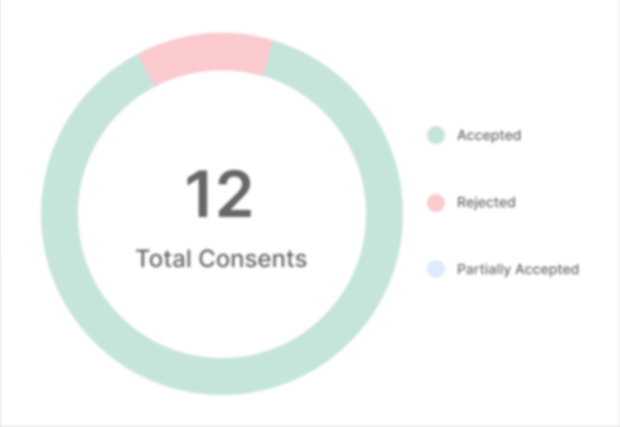
CookieYes
Wordfence activity in the past week

Top 5 IPs Blocked
| IP | Country | Block Count |
|---|---|---|
117.201.42.156 |
India | 150 |
2001:448a:b090:143e:1177:dc7a:fd4b:37c2 |
Indonesia | 150 |
2600:480a:4976:3f00:4132:104d:3715:3e0d |
United States | 150 |
179.48.33.243 |
Brazil | 150 |
147.185.47.167 |
United States | 150 |
Top 5 Countries Blocked
| Country | Total IPs Blocked | Block Count |
|---|---|---|
| United States | 238 | 883 |
| India | 10 | 721 |
| Brazil | 6 | 305 |
| Indonesia | 3 | 299 |
| Bahrain | 1 | 147 |
Top 5 Failed Logins
| Username | Login Attempts | Existing User |
|---|---|---|
| admin | 27 | No |
| Sofia Luz | 24 | No |
| 41959 | 1 | No |
| 55088 | 1 | No |
| 92653 | 1 | No |
Updates Needed
Core
- A new version of WordPress (v7.1.3) is available.
Plugins
- A new version of the plugin "Akismet Anti-spam: Spam Protection (v5.7.2)" is available.
- A new version of the plugin "Cloudflare (v4.14.5)" is available.
- A new version of the plugin "CookieYes | GDPR Cookie Consent (v3.5.7)" is available.
- A new version of the plugin "Elementor (v4.3.5)" is available.
- A new version of the plugin "Firelight Lightbox (v2.3.25)" is available.
- A new version of the plugin "GA Google Analytics (v20260810)" is available.
- A new version of the plugin "Gitium (v1.2.6)" is available.
- A new version of the plugin "Google Analytics for WordPress by MonsterInsights (v11.3.0)" is available.
- A new version of the plugin "GTranslate (v5.0.2)" is available.
- A new version of the plugin "Header and Footer Scripts (v2.4.2)" is available.
- A new version of the plugin "Newsletter (v9.5.0)" is available.
- A new version of the plugin "Page Links To (v3.4.1)" is available.
- A new version of the plugin "RD Station (v5.7.4)" is available.
- A new version of the plugin "Simple CAPTCHA Alternative with Cloudflare Turnstile (v1.44.0)" is available.
- A new version of the plugin "Simple Custom CSS and JS (v3.54.3)" is available.
- A new version of the plugin "SVG Support (v2.6.1)" is available.
- A new version of the plugin "Wordfence Security (v9.0.2)" is available.
- A new version of the plugin "WP Slick Slider and Image Carousel (v3.7.8.2)" is available.
- A new version of the plugin "WPvivid Backup Plugin (v0.9.136)" is available.
- A new version of the plugin "Yoast SEO (v28.7)" is available.
Themes
- A new version of the theme "Astra (v4.14.1)" is available.
- A new version of the theme "Twenty Fifteen (v4.3)" is available.
- A new version of the theme "Twenty Nineteen (v3.4)" is available.
- A new version of the theme "Twenty Seventeen (v4.2)" is available.
- A new version of the theme "Twenty Sixteen (v3.9)" is available.
- A new version of the theme "Twenty Twenty (v3.2)" is available.
- A new version of the theme "Twenty Twenty-Five (v1.5)" is available.
- A new version of the theme "Twenty Twenty-Four (v1.6)" is available.
- A new version of the theme "Twenty Twenty-Three (v1.7)" is available.
- A new version of the theme "Twenty Twenty-Two (v2.2)" is available.